Products · DLQ Manager · vs Azure Monitor
Azure Monitor sees the metric.
OpsChisel fixes the message.
Azure Monitor is excellent at what it's for: metrics, logs and alerts on the Service Bus resource. But when a dead-letter queue fills up, someone still has to open, understand, repair and resend the messages. That's the job OpsChisel was built for.
Capability by capability
The short version: observability and operations are different jobs. You likely need both.
| Capability | OpsChisel DLQ Manager for Azure Service Bus | Azure Monitor |
|---|---|---|
| Browse & search dead-letter messages | Full support | Not supported |
| Resend / edit-and-resend (repair payload) | Full support | Not supported |
| Bulk resend / archive / delete | Full support | Not supported |
| Auto-remediation (auto-resend / auto-archive) | Full support | Not supported |
| Explain why a message dead-lettered (AI assistant) | Full supportOpt-in, PII-redacting | Not supportedNo message context |
| Root-cause from the consumer's own exception | Full supportReads your App Insights | Not supportedMetrics only, not tied to a message |
| Delivery-pattern diagnosis (crash vs lock-expiry vs slow retry) | Full support | Not supported |
| Alert only when a genuinely new failure appears | Full supportNew-cluster detection | Partial or indirect supportStatic thresholds |
| Remembers how operators fixed the last one | Full support | Not supported |
| Dead-letter alerts to Slack / Teams / Splunk / email / SMS | Full supportMessage-aware | Partial or indirect supportMetric alerts only |
| Live console - dead-letters appear in real time | Full support | Partial or indirect supportCharts refresh on a timer |
| Failure trends per entity | Full support | Partial or indirect supportRaw metrics |
| Targeted resend safety (topic filters) | Full support | Not supported |
| Multi-namespace single pane of glass | Full support | Partial or indirect support |
| Fine-grained RBAC + full audit trail | Full support | Partial or indirect supportCoarse Azure RBAC |
| Passwordless onboarding, no stored secrets | Full supportEntra RBAC, cross-tenant via the Connect app | Partial or indirect supportN/A - same tenant |
| Purpose-built for Service Bus DLQ ops | Full support | Not supportedGeneral observability |
Full support Partial / indirect Not available
The gaps that hurt
Where a metrics tool runs out of road
No message operations at all
Azure Monitor's unit of work is the metric: DeadletteredMessages went from
12 to 4,213. It has no concept of opening a message, reading the payload, searching for
a correlation id, or resending after a fix. The tooling gap gets filled with one-off
scripts and Service Bus Explorer heroics - unaudited, unrepeatable, and usually owned
by whoever wrote them.
OpsChisel makes the message the unit of work: captured durably, indexed, searchable across namespaces, and actionable with one click.
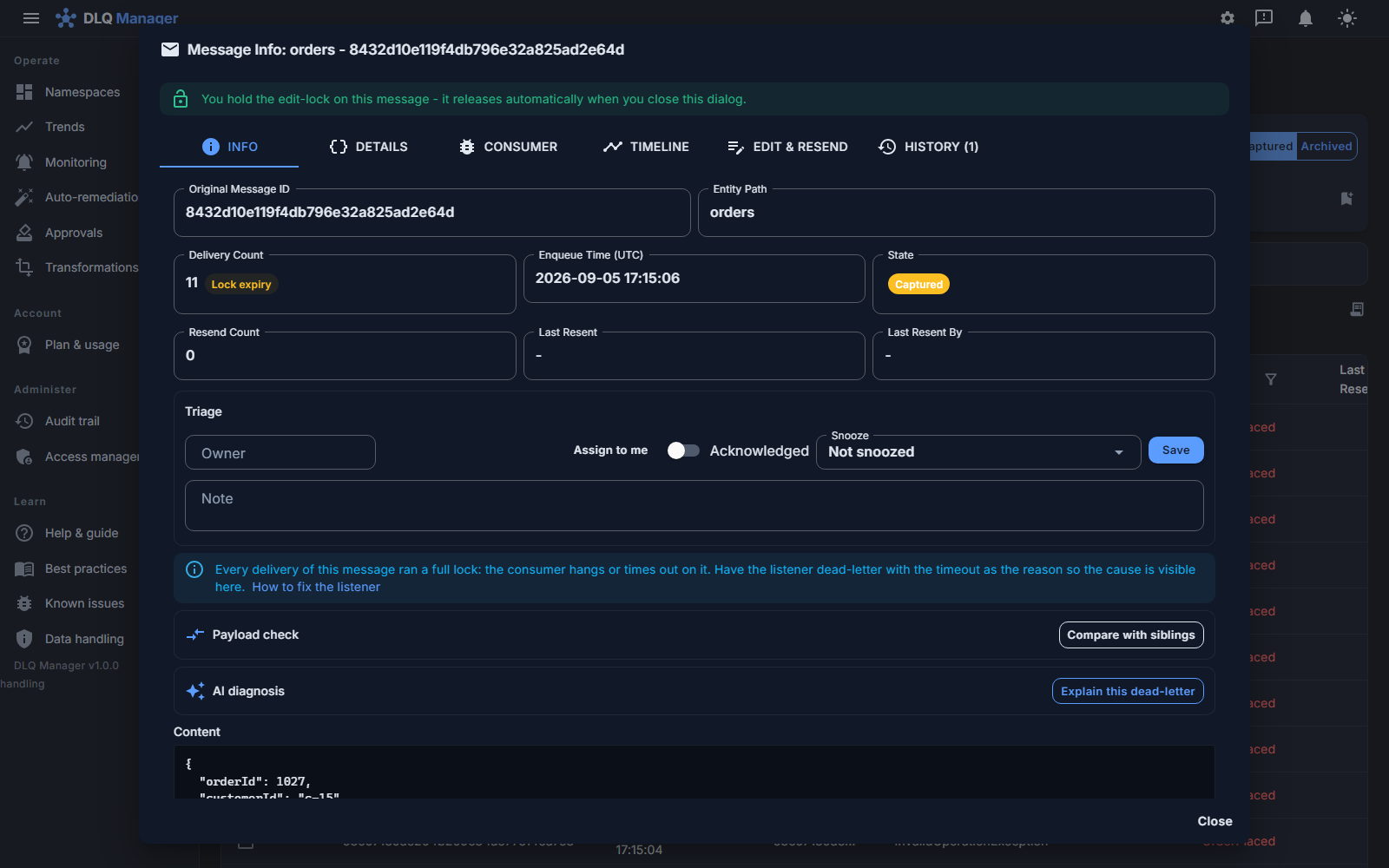
No remediation - alerts still wake a human
A metric alert can page you at 2 a.m.; it cannot do anything about the problem. Every recurring, well-understood failure still costs an on-call interruption and a manual, error-prone recovery.
OpsChisel's auto-remediation rules resend or archive matching dead-letters automatically - dry-run first, with a retry ceiling so a genuinely poisoned message is parked for a person instead of looping. Never auto-deleted.
Messages expire while dashboards stay green
Dead-letters sit in the broker where TTLs and quotas apply. Azure Monitor happily charts the backlog right up until the moment the data silently disappears. There is no durable copy and no way back.
OpsChisel drains DLQs into durable storage the moment messages arrive. The broker stays healthy, and every captured record and each delivery's body are there for forensics, replay or audit for your plan's retention period.
Operations need guardrails, not just access
The workaround for Azure Monitor's gaps is handing engineers data-plane access to production namespaces - coarse Azure RBAC, no operation-level audit, and topic resends that fan out to every subscription.
OpsChisel adds the guardrails: fine-grained roles (including read-only viewer), payload validation before send, targeted resend that reaches only the subscription that dead-lettered, and a complete audit trail for compliance.
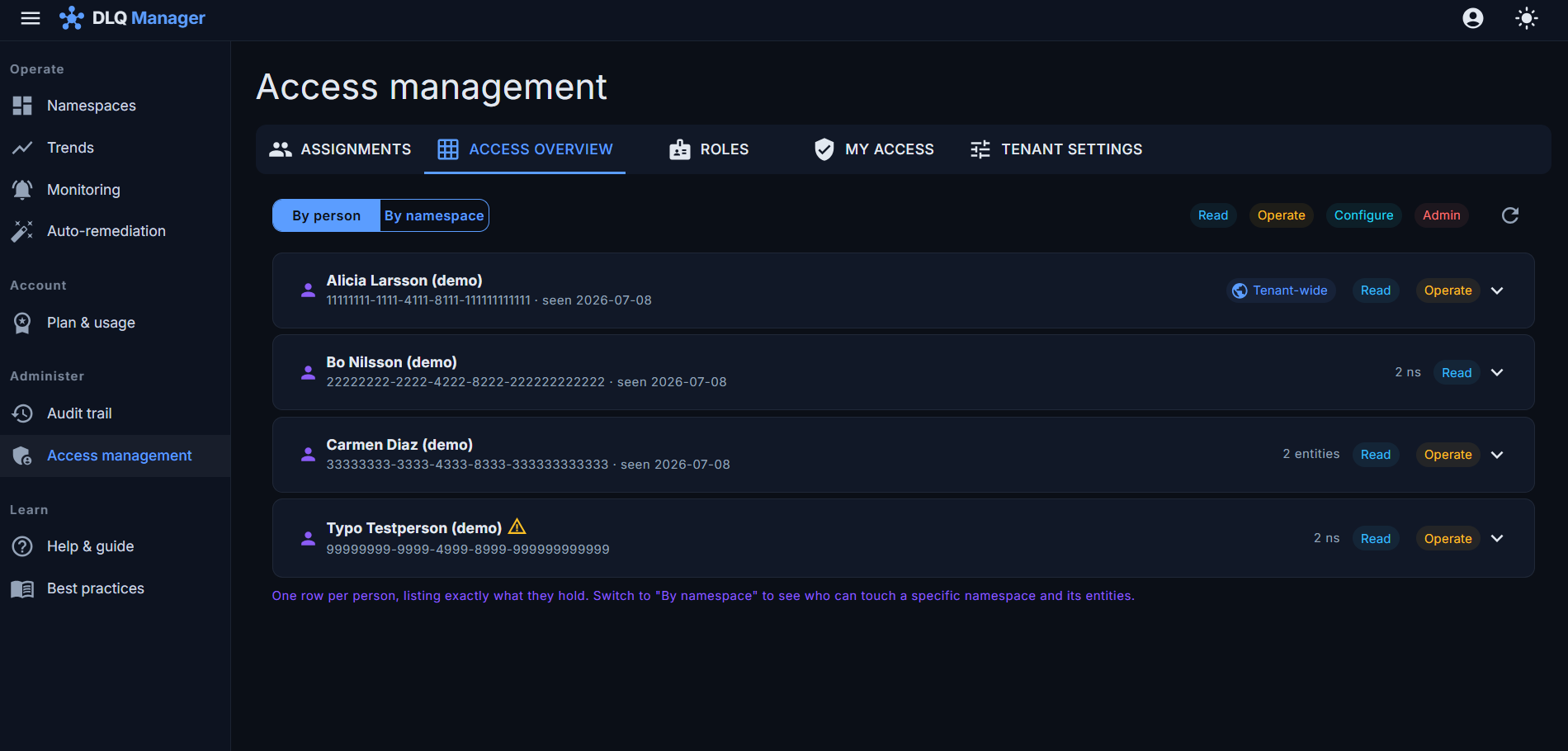
Better together
Teams run OpsChisel alongside Azure Monitor
This isn't rip-and-replace. Keep Azure Monitor for platform-level observability - CPU, throttling, availability. Add OpsChisel for the operational layer it was never designed to cover: the dead-letter messages themselves.
Azure Monitor
Watches the resource: metrics, diagnostics logs, platform alerts, autoscale signals.
OpsChisel
Operates the messages: capture, search, repair, resend, remediate, audit.
Your team
Sees an alert, clicks through to the exact message, fixes it once - then turns the fix into a rule.
Keep the metrics. Add the fix.
Connect a namespace and compare for yourself - OpsChisel captures your real dead-letters in minutes, free for 30 days, with no connection-string secret to hand over on the passwordless path.